
Car Details in a Rental Listing: A Verification Guide
Only put facts in your listing that you can back with a document or check on the car itself — make, year, gearbox, fuel, seats. Here's a field-by-field guide to where to verify each one.
7 min read
In this article
Only put facts in your listing that you can back with a document or check on the car itself — make, year, gearbox, fuel, seats. If you're unsure about any field, write "confirm with owner" instead of guessing.
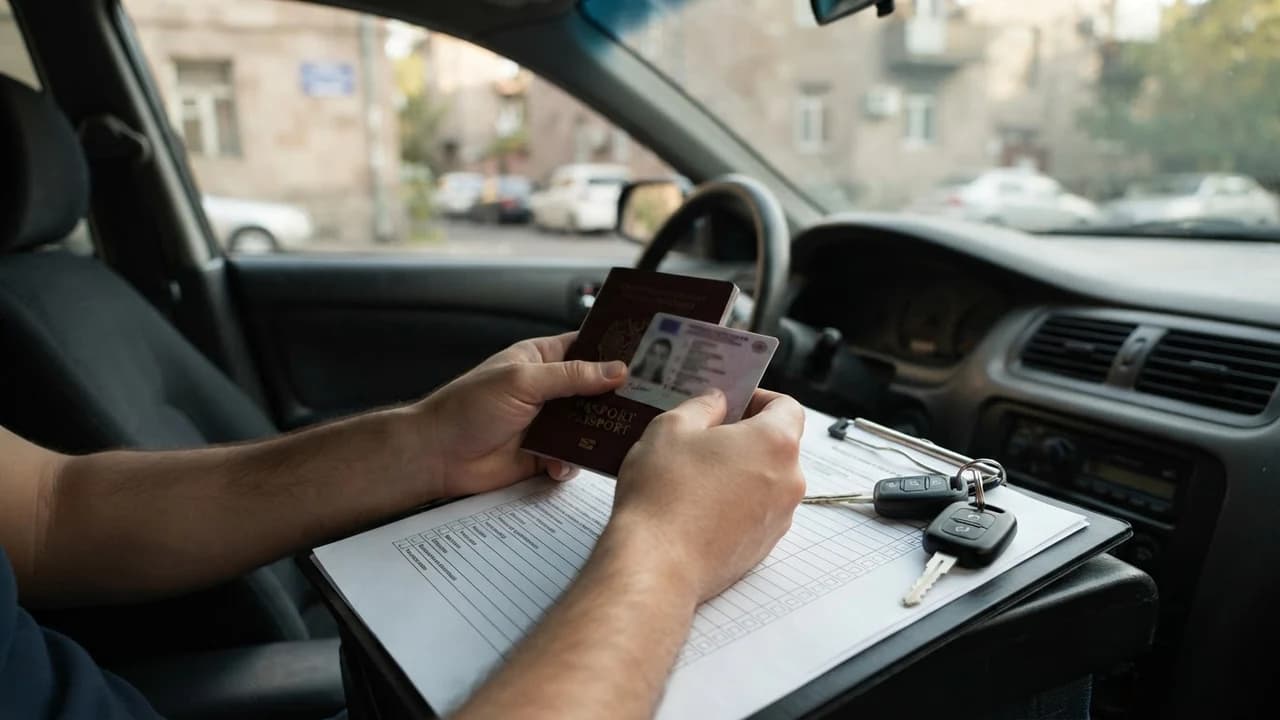
Every car detail in a rental listing should come from one of two sources: the vehicle's paperwork (registration certificate, technical passport) or markings physically verifiable on the car itself. Take the make, model, year and VIN from the document; check the gearbox, fuel type and seat count on the car. Rather than guessing at an unverified field, it's better to leave it as something to confirm with the owner.
Why accuracy is the foundation of a listing
An accurate detail is both the renter's basis for trust and your risk management. From the listing alone, the renter decides whether the car fits their trip — a family drive to Garni, a pickup from Zvartnots, the road up Dzoraget. One wrong field is enough to cast doubt on everything else.
There are practical consequences too. The wrong fuel type leads to misfuelling; the wrong gearbox leaves the driver in an unfamiliar situation; the wrong year invites baseless claims. Accuracy isn't an editorial quirk — it's the cheapest way to avoid a dispute.
Details verified by document
Take the make, model, year and VIN only from the vehicle registration certificate (technical passport). This document holds the official registration data, confirmed by the Police of Armenia. A year written from memory is often wrong — especially for imported cars.
If a renter wants to independently confirm registration data, the official state sources are roadpolice.am and src.am, which serve as official points for vehicle registration information (checked 2025). This is the renter's right, not the owner's obligation — beyond showing the document itself.
Where to find the VIN and the year
The VIN is a 17-character code that usually appears in three places: in the technical passport, on the car itself — on the first door sill or visible through the bottom of the windshield — and in some models under the steering column. The year is determined by the 10th character of the VIN, but the simplest route is the date printed in the technical passport.
Compare both sources: the document and the metal marking. If they don't match, don't publish the listing until it's clarified. The mismatch may be purely technical, but it can also be a sign of a deeper problem.
Details checked on the car
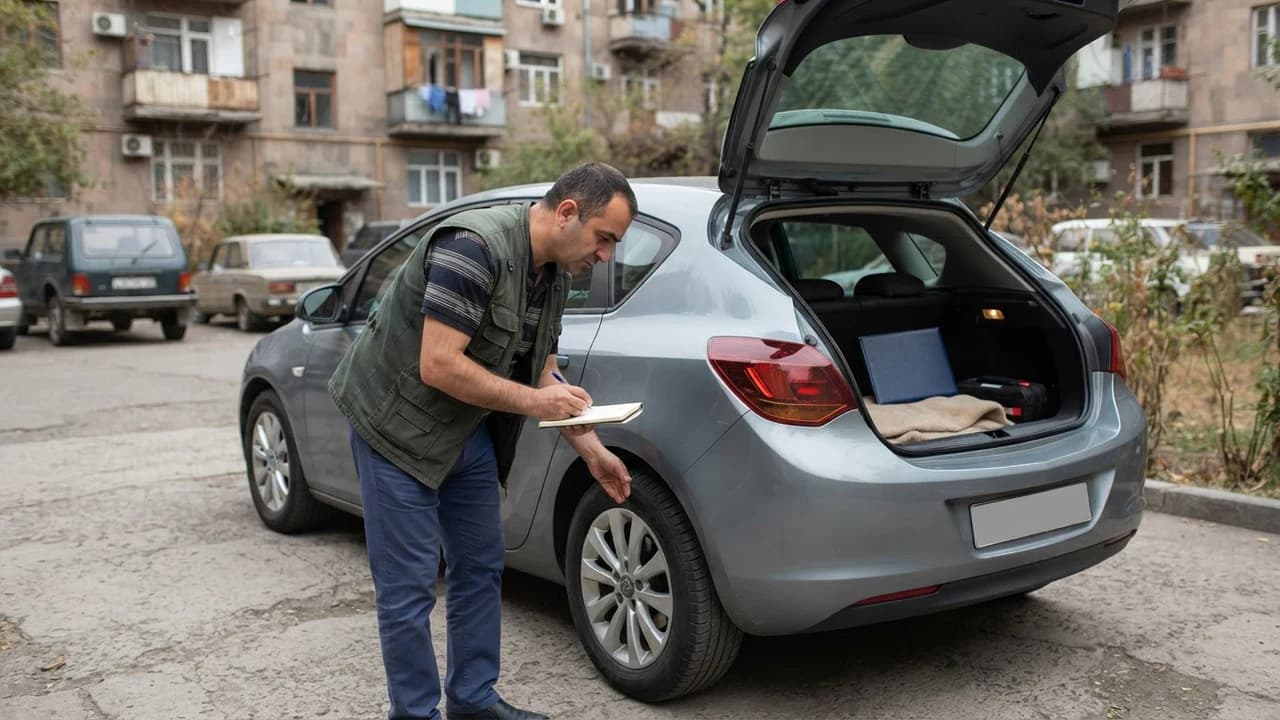
The gearbox, fuel type and number of seats are checked on the car itself, without relying on paperwork. These are technical facts you can confirm in five minutes inside the cabin. Photos add extra proof: photograph the steering wheel, the fuel filler flap and the interior.
Field
Where to check
Gearbox
Levers in the cabin, visible at start-up
Fuel type
Marking inside the fuel flap, engine bay
Seats
Number of seat belts in the cabin
Tow hook
Under the bumper cover, presence of the mount
Make, year, VIN
Technical passport, metal marking
Gearbox: how not to mix it up
You determine the gearbox type by its controls: if there's a third pedal under the left foot (the clutch), it's a manual. On an automatic, the P-R-N-D modes are visible on the selector. A rotary dial or button selector is also an automatic variant.
With hybrid systems (robotized, CVT), write the actual type if you know it for certain, or mark "automatic" only for cars with two pedals. Renters decide based on this field, so approximations aren't acceptable.
Fuel type and engine size
Fuel type — petrol, diesel, gas or electric — is checked via the marking inside the fuel filler flap or in the engine bay. LPG conversions are common in Armenia: if the car has a tank, state this in the listing, because it changes refuelling habits.
For an electric car, list the manufacturer's stated range and charging type if these are confirmed. If you haven't measured them yourself, don't substitute your own estimate.
Step-by-step checklist before filling in a listing
- Open the technical passport and take the make, model, year and VIN from there alone.
- Compare the VIN against the marking on the door sill or windshield.
- Sit behind the wheel and determine the gearbox by the pedals and the lever.
- Open the fuel flap and confirm the fuel type; if there's an LPG tank, note it.
- Count the seat belts to get the number of seats.
- Photograph the steering wheel, fuel flap, interior and all four sides of the car.
- In fields you're unsure about, write "confirm with owner" rather than an approximate value.
The listing price, security deposit, insurance and handover terms are not part of this checklist. Those are conditions set by the owner, which the renter verifies on the listing and directly with the owner.
Common mistakes and risks
Three mistakes come up most often: a year written from memory, a manual gearbox listed as "automatic", and an unmentioned LPG tank. The consequence of each is the same — the renter receives a different car than the one they chose.
The risk cuts both ways. The renter may demand cancellation or a discount, while the owner loses trust and future bookings. What protects against these risks isn't the platform but accurately filled fields, mutual checking, and photos plus a recorded fuel level at handover.
JanCar's role and its limits
JanCar is a peer-to-peer marketplace: it connects renters with independent owners, but owns no vehicles and sets no rental terms. The owner fills in the listing details, and responsibility for their accuracy rests with the owner too.
The deposit rule is clear: JanCar does not receive, block or hold a security deposit. If a listing includes one, the amount and transfer are arranged directly between renter and owner. By the same logic, insurance coverage should be verified against the actual policy — never assumed.
Final terms are fixed in the contract and the handover act, signed by both sides when the car changes hands. The platform's role ends there: it provides the fields and structure, but the facts remain on the car and in the document.
Frequently asked questions
Can I take the year from the VIN if I don't have the technical passport at hand?
The 10th character of the VIN often corresponds to the model year, but that isn't always the registration year. For a listing, the technical passport is the reference point. If it's temporarily unavailable, publish the listing only after checking the document.
What do I write if the car runs on both gas and petrol?
List both types and clearly state that there's an LPG tank. The renter plans refuelling stops around this field, so omitting the tank creates real problems on the road.
Does JanCar verify listing details against documents?
JanCar is a platform and a connector: the owner is responsible for the accuracy of the listing fields. Before booking, a renter can ask for the technical passport data and put questions directly to the owner.
Related search paths
Continue the topic with these vetted related guides.
- Comparing car rental listings across 6 fields
- A trustworthy car listing on JanCar: checking before booking
This is general information. JanCar does not receive or hold a vehicle deposit. Check price, deposit, insurance and every other term on the listing and directly with the owner.
More JanCar guides
Continue with these closely related practical guides.
Frequently asked questions
Can I take the year from the VIN if I don't have the technical passport at hand?
The 10th character of the VIN often corresponds to the model year, but that isn't always the registration year. For a listing, the technical passport is the reference point. If it's temporarily unavailable, publish the listing only after checking the document.
What do I write if the car runs on both gas and petrol?
List both types and clearly state that there's an LPG tank. The renter plans refuelling stops around this field, so omitting the tank creates real problems on the road.
Does JanCar verify listing details against documents?
JanCar is a platform and a connector: the owner is responsible for the accuracy of the listing fields. Before booking, a renter can ask for the technical passport data and put questions directly to the owner.