
USB and Phone Mount Checks for Your Rental Car
At pickup, take 5–10 minutes to check four things: the USB port type, your own cable, power for navigation and the phone mount’s grip. Get everything set up before you drive.
7 min read
In this article
At pickup, take 5–10 minutes to check four things: the USB port type, your own cable, power for navigation and the phone mount’s grip. Get everything set up before you drive.
When checking a rental car’s USB ports and phone mount, focus on four things: the connection type (USB-A, USB-C or a 12V socket), whether you have a suitable cable, the Apple CarPlay / Android Auto connection and the mount’s grip. Set everything up while parked, before you leave and while the owner is still with you. Sorting these problems out halfway through a journey is neither convenient nor safe.
Why It’s Worth Taking 10 Minutes Before You Leave
A working charger and a secure mount help keep your phone usable on longer journeys. In Armenia, rental cars are often used for routes from Yerevan to Sevan, Jermuk, Tatev or Georgia, with the phone serving as both a navigation device and a way to stay in touch. If charging fails or the mount comes loose, it creates inconvenience and a safety risk.
Phone-use rules are another reason to finish setting up before you drive. The source article refers to Armenian restrictions on phone use while driving, but does not provide a specific legal provision that confirms the current requirements. Connect your cable, start navigation and position the mount before moving; see the “While Driving” section below for the source and its limits.
Step 1: Check the USB Port Type and Charging
First, identify the connection available in the car: an older-style USB-A port, a newer USB-C port or just a 12V socket—often called the cigarette-lighter socket—with no USB port. Your cable or adapter needs to fit that connection. The port’s shape alone doesn’t tell you its charging speed or whether it supports data transfer.
- USB-A — the older format. Check whether the particular port supports data transfer or charging only.
- USB-C — the newer format. Charging speed and CarPlay/Android Auto support depend on the car, port and cable, not just the connector.
- 12V socket — you’ll need a compatible car-charging adapter to charge your phone, so bring your own.
How to Run a Quick Check Without Making Things Awkward
Plug in your phone, wait 20–30 seconds and look for the charging symbol. If it doesn’t appear, try another port or use your adapter in the 12V socket. Treat this as a routine equipment check, not an accusation that the owner has done something wrong.
Step 2: Bring Your Own Cable and Adapter
Your own cable and 12V adapter are the most reliable backup. A cable in the rental car may be missing, damaged or incompatible with your phone. A short cable—30–50 cm—can be more convenient with a phone mount, provided it reaches without tension: it won’t dangle or get in the way of the steering wheel.
If the car has only USB-A and your phone uses USB-C, bring a USB-A-to-USB-C cable or a suitable adapter for your existing cable. Keeping a compatible cable and car charger in your bag covers most everyday charging problems.
Step 3: Set Up Navigation with CarPlay / Android Auto
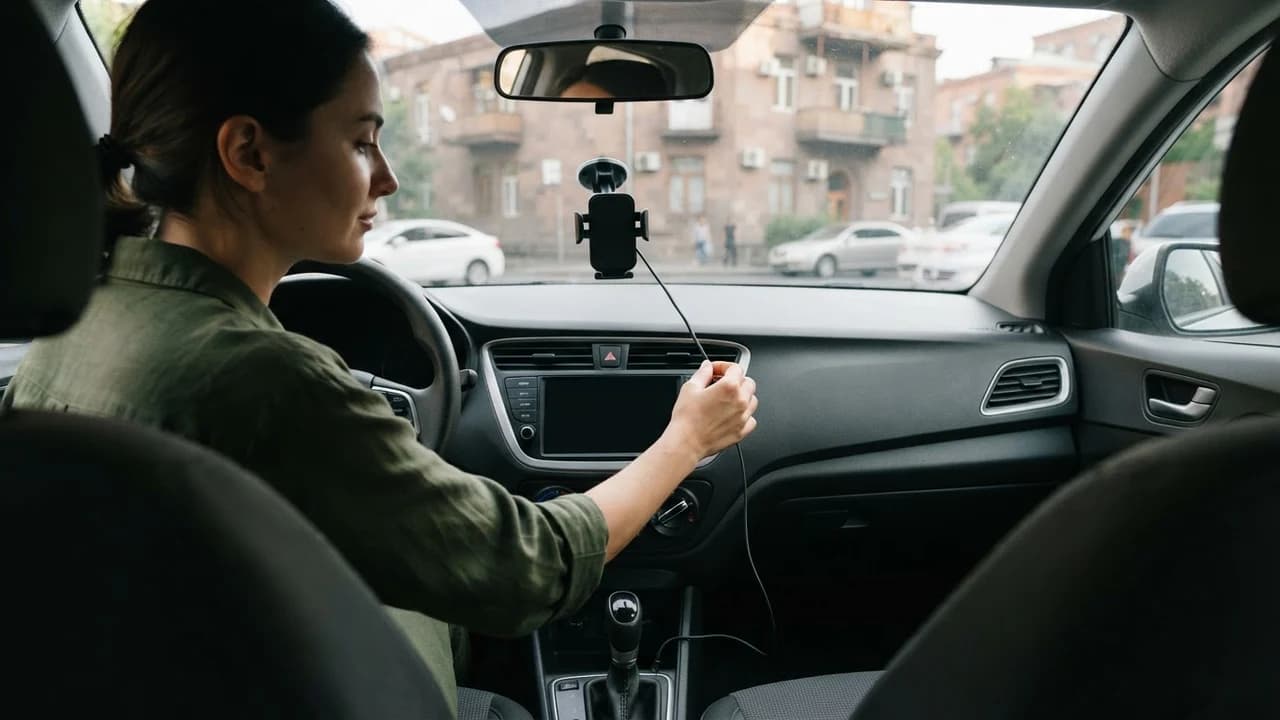
If the car’s screen supports Apple CarPlay or Android Auto, connect your phone by cable or wirelessly while you’re still parked. The first connection may require you to approve permissions on the phone. Don’t try to do that while driving.
A port may charge your phone without transferring data. If the car’s screen doesn’t recognise the phone, try another port or cable. Enter your route and adjust navigation audio before you leave, too.
If There’s No Screen: Use a Phone Mount and Your Phone’s Navigation
In an older car without a compatible screen, a securely mounted phone is often the most practical navigation option. Any supplied mount is part of the owner’s listing, not something JanCar guarantees. If there isn’t one, fit your own dashboard mount only with the owner’s permission.
Step 4: Position the Phone Mount Safely
The mount should hold your phone firmly without letting it slip when the car vibrates. Check three things: its grip on the phone, its attachment to the windscreen or dashboard and, for a vent-mounted holder, the stability of the vent slats. Use gentle pressure rather than forcing any part.
Keep the phone easy to glance at without obstructing your view through the windscreen or interfering with steering. A poorly positioned mount can draw your attention away from the road.
While Driving: What’s Allowed and What Isn’t
Check the current official rules before relying on a claim about permitted phone use or fines. The source article states that holding and using a phone while driving is restricted in Armenia and can lead to administrative fines; it names the Armenian Police website, roadpolice.am, and gives a check date of 2025. No specific legal provision or exact verification date was supplied, so the current requirements and penalties cannot be confirmed from that reference alone.
The practical safety rule is straightforward: don’t adjust your setup while driving. Sort out charging, navigation and the mount before setting off. If you need to change the route, stop somewhere safe first.
JanCar’s Role and the Owner’s Terms
JanCar is a peer-to-peer marketplace: it connects renters with independent car owners rather than owning a rental fleet. Confirm whether a USB port, mount or cable is provided through the listing, messages with the owner and your pickup checks. Their availability is not a platform guarantee.
Ask ahead: “Does the car have USB-A, USB-C or only a 12V socket?”, “Is there a phone mount?” and “Does it support CarPlay or Android Auto?” When comparing cars on JanCar, review each listing’s terms and confirm the price, dates, mileage allowance, fuel rules, insurance, any deposit, pickup and return arrangements, and driver eligibility with the owner. JanCar does not receive, block or hold a security deposit; if the owner requires one, you arrange it directly with them.
At pickup, it’s also worth checking the car’s overall condition. Optional photos, a record of the fuel level and a diagram marking existing damage can help reduce disagreements at return.
Frequently Asked Questions
Can I Use a Phone While Driving in Armenia?
Don’t hold or operate your phone while driving; set up navigation before you leave. The source article’s 2025 reference to roadpolice.am describes restrictions and fines, but does not establish the current legal wording. A mount is a practical way to display navigation, not proof that every use of the phone is legally permitted.
How Do I Connect My Phone to a Rental Car Using CarPlay or Android Auto?
Plug your cable into a compatible port and approve the connection on your phone while parked. If the car’s screen doesn’t recognise the phone, the port may support charging only. Try another port.
What If the Car Has No Phone Mount or USB Port?
Use your own charging adapter in the 12V socket, if one is available, and fit your own dashboard phone mount only with the owner’s permission. Clarify these details before choosing the listing rather than waiting until pickup.
Related Guides
For more on phone use and pickup safety checks, see these related guides.
This is general information. JanCar does not receive or hold a vehicle deposit. Check price, deposit, insurance and every other term on the listing and directly with the owner.
More JanCar guides
Continue with these closely related practical guides.
Frequently asked questions
Can I Use a Phone While Driving in Armenia?
Don’t hold or operate your phone while driving; set up navigation before you leave. The source article’s 2025 reference to *roadpolice.am* describes restrictions and fines, but does not establish the current legal wording. A mount is a practical way to display navigation, not proof that every use of the phone is legally permitted.
How Do I Connect My Phone to a Rental Car Using CarPlay or Android Auto?
Plug your cable into a compatible port and approve the connection on your phone while parked. If the car’s screen doesn’t recognise the phone, the port may support charging only. Try another port.
What If the Car Has No Phone Mount or USB Port?
Use your own charging adapter in the 12V socket, if one is available, and fit your own dashboard phone mount only with the owner’s permission. Clarify these details before choosing the listing rather than waiting until pickup.
Where to go next
- Roof Box on a Rental Car: Permission and Checks
- Is the Car Still Free? How to Tell if an Ad Is Fresh and Confirm by Phone
Sources
- JanCar — how it works
jancar.am · official source
- JanCar car catalogue
jancar.am · official source