
Paying for Parking in a Rental Car in Yerevan: Which Plate to Enter and How to Avoid a Fine
In Yerevan, a parking payment is tied to the licence plate. In a rental car, enter that car's plate, keep the confirmation, and agree the rules with the owner before you drive off.
8 min read
In this article
Paid parking in Yerevan is registered to the car's licence plate, so in a rental you enter that car's plate, not your own. Pay through the official channels described on yerevan.am: SMS, app or terminal. Then keep the payment confirmation.
People search for this in different ways: "оплата парковки в Ереване", "how to pay for parking in Yerevan", "paid parking Yerevan", "parking yerevan sms", "yerevan.am parking". Behind all of them sits the same question: how do I pay so that no fine turns up? Renters have one extra problem. The car isn't yours.
How to pay for parking in a rental car in Yerevan: the short answer
Paying comes down to four steps: find out the zone, take the car's plate number, pay, and keep the confirmation. The whole thing takes a few minutes.
- Before you park, check whether the street is a paid parking zone.
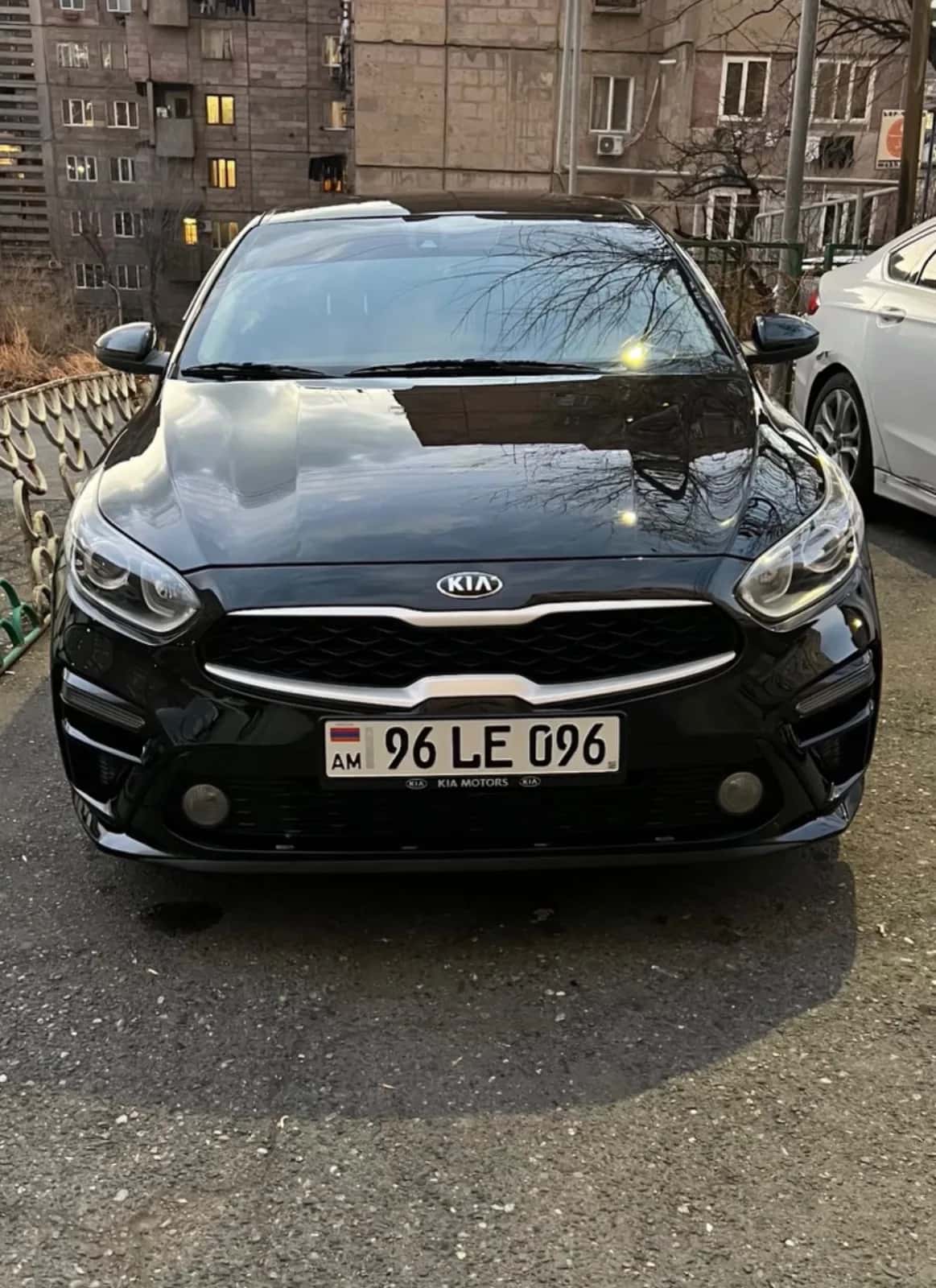
- Take the rental car's licence plate exactly as it appears on the car.
- Pay by one of the methods listed on yerevan.am.
- Keep the SMS, receipt or screenshot, with the date and plate visible.
Tariffs, zone boundaries and operating hours change. We don't list them here, so take current figures from the official website of Yerevan City Hall.
Which plate to enter: the rental car's or yours?
Enter the rental car's plate. The payment is registered to the vehicle, not to the driver. If you type in your own car's plate, the car standing in the street stays unpaid in the system.
This is the renter's most common mistake. People type their old plate from memory, or accept a saved one, and the payment goes through, just not for the car that's actually parked there. So you hold a payment confirmation and the car still has grounds for a fine.
How to check the plate at handover
At handover, compare the plate in three places: on the car, on the vehicle registration certificate, and in the rental agreement. With the owner next to you it takes a minute.
- Photograph the front and rear plates.
- Write the plate number in your phone's notes or a reminder.
- If the car is swapped during the same trip, note the new plate again.
- When you type it in, double-check characters that can be confused with each other.
Example: from the airport to the centre, with an old plate saved in the app
If your app has an old plate saved, compare it with the registration certificate before you pay. Here's how that looks in practice.
You pick the car up at Zvartnots International Airport and park in the centre. The app still holds the plate from your previous rental. Open the photo of the certificate and compare the two, character by character. If they differ, change it by hand, then pay. Take a screenshot of the confirmation and put it in your album. We don't give an amount here: it depends on the zone and the tariff on yerevan.am.
Official payment methods: SMS, app, terminal
Yerevan City Hall describes three ways to pay for parking: SMS, an app (online) and a payment terminal. For the current list, instructions and short numbers, check yerevan.am, because they can change.
Paying by SMS
SMS is the fastest option when all you have is a phone. The message contains the car's plate number and goes to the short number City Hall specifies.
Take the short number and the message format only from yerevan.am, not from random sites or old notes. Check the plate once more before you send. Keep the reply SMS: that's your confirmation.
Paying by app or online
In an app, you type the plate in by hand and get an electronic confirmation after paying. Use only the apps and pages listed on yerevan.am.
If the app remembers the previous plate, change it by hand for the rental. Before you leave the screen, take a screenshot of the confirmation.
Paying at a terminal
A terminal helps when your phone isn't working or there's no signal. It also asks for the plate, so have it ready.
If the terminal prints a receipt, keep it. If it doesn't, photograph the screen, with the payment time and plate visible.
Paid zones and hours: where to check
Paid zones and their hours are set by Yerevan City Hall and can be checked on yerevan.am. Many streets in the centre are paid, but don't assume anything about any particular street.
Zone signs are there on the spot, yet the map and the website are more reliable than memory. We don't state tariffs or hours that lack a dated official source. If you'd rather not park on the street, there's an alternative: an [underground car park](/en/blog/underground-parking-in-yerevan-by-car-5-checks). You'll find details on both in the separate guides below.
Payment pages also exist on other sites, for example a local parking payment page for Zone B. Before you pay, make sure the page belongs to the official City Hall system and shows the correct plate. We don't give tariffs here.
Pay only through pages you opened from yerevan.am. Don't pay through a link that arrived in a message or from an unfamiliar site, even if it looks official.
Before you leave the car: a checklist
Run through five points before you step out. It takes half a minute.
- The zone sign is checked.
- The plate matches the certificate.
- The payment is sent.
- The confirmation is saved.
- A photo of the car and the street is taken.
Tricky cases
In awkward situations the rule stays the same: keep the proof straight away.
Several zones or addresses in one day. Pay for each stop separately and keep each confirmation separately. In your album, note the zone and time next to the photo.
The plate was entered wrongly. Screenshot the SMS or app screen immediately, and photograph the car showing the plate and location. How a wrong payment is treated, check on yerevan.am. We don't promise a refund.
A friend or the owner moves the car. Whoever moves it must pay under the same plate. Agree in writing who pays.
What to keep after paying
Keep every payment confirmation until a few weeks after the rental ends. It may be needed if the owner later asks about parking.
Three things should be visible on a confirmation: the plate, the date and the time. Make one album or folder on your phone named after the rental, and put everything in it: the SMS screenshot, the receipt, the photo of where you parked. If you park several times in a day, keep each payment separate.
What happens if you don't pay for parking
A fine for unpaid parking goes to the car's registered owner, not to the renter. It can arrive after the rental is over, when you've already returned the car.
At that point the owner may contact you and ask you to cover it, according to what you agreed. This is where your payment confirmations show that you did pay for parking. In an extreme case the car can also be towed, and the owner will have to deal with it. Read about that in the separate guide below. We don't state the fine amount: check it with an official source.
What to agree with the owner in advance
Before you take the car, agree in writing who pays for parking and for any fine that comes after the rental. A verbal promise is hard to prove in a dispute.
Ask, and write into the rental agreement or the handover record:
- who pays for paid parking during the rental;
- within what period the owner may present a fine;
- whether the amount is taken from the security deposit or paid separately;
- how you'll be told about the fine.
When you phone about an ad, ask two more things: whether the owner keeps any record of parking, and how and by when a fine will be passed on to you. Write the answers into the handover record. JanCar has no chat or booking, so you agree everything by phone and in person.
A security deposit is money the owner may ask for during the rental, and its size is stated on the ad or agreed between you. JanCar is a classifieds board: the renter calls the owner and they agree everything directly. JanCar doesn't receive or hold a deposit, doesn't pay fines and doesn't settle disputes.
When you browse ads, pick cars whose terms suit you, for example no deposit. After you've seen the car, call the owner, and don't pay anything in advance until you've seen the documents.
Frequently asked questions
Which licence plate should I enter to pay for parking in a rental car?
Enter the rental car's plate, not your own. Check it against the car itself and the vehicle registration certificate once more.
Who pays the parking fine on a rental car?
The fine goes to the car's registered owner, but the owner may ask the renter to cover it, according to what you agreed. So put the arrangement in writing beforehand.
Where can I check the SMS parking instructions?
On the official Yerevan City Hall website, yerevan.am. The short number and message format can change, so don't rely on old notes.
Where to go next
- Parking in Yerevan by car: paid zones and payment — details on zones and how to pay.
- Parking fine or towing in Yerevan: what to do — what to do if a payment was missed.
- Checking fines by licence plate: what to do with a rental car — checking for fines after the rental.
- Underground car parks in Yerevan: 5 steps — an alternative to paid street parking.
- Driving a rental car in Yerevan: a checklist — the wider context for driving in the city.